Glasses That Look Good in Photos: Expert Tips for Flattering Frames
Mar 11, 2026
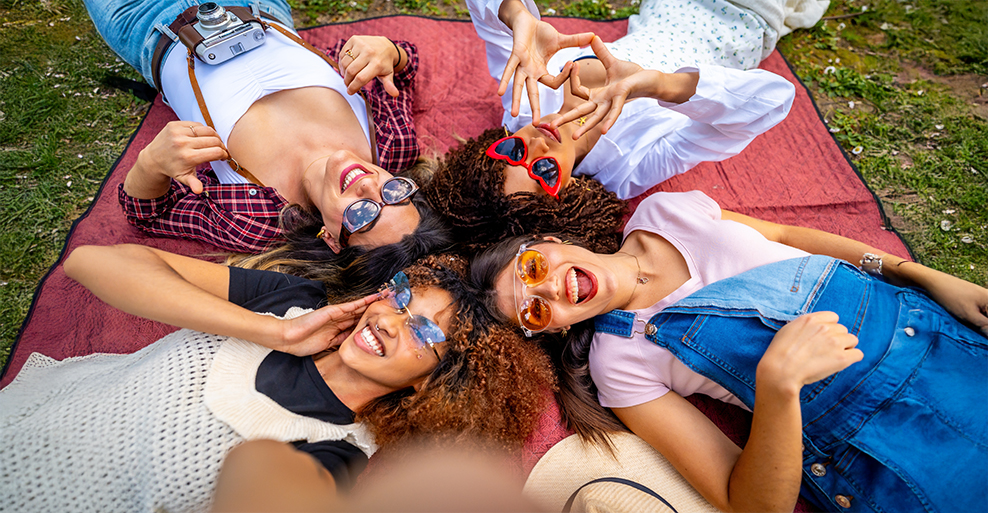
Glasses that look good in photos usually have thin or medium frames, shapes that match your face shape, and matte or low-glare finishes that stay clear under bright light. Cameras flatten depth and reflect light, which can make thick rims and shiny surfaces stand out more than you'd expect. Photos can change how your glasses look compared to what you see in a mirror. Camera angles, lighting, and lens distortion might widen frames, hide your eyes, or add glare to your lenses.
Frame color, material, and fit affect how your glasses show up on screen, whether it's a headshot, a group photo, or just a quick selfie. Let's dig into how face shape and camera angles interact, which frame styles and colors actually photograph well, and how to avoid annoying reflections. You'll also see how virtual try-on tools from major eyewear brands help you test glasses online before a shoot. That way, you can pick frames that look natural and confident in photos—no more guessing in front of the mirror.
Understand Your Face Shape And Camera Angles
Your face shape changes how glasses sit and how they look on camera. Camera angle, lens distance, and lighting can shift balance, width, and the strength of lines in photos.
How to Identify Your Face Shape (Round, Square, Oval, Heart)?
Face shape comes down to width, length, and jawline angles. You can figure this out with a mirror and your phone camera at eye level.
Round: Your face is about as wide as it is long. Jawline curves, cheeks look full.
Square: Forehead, cheeks, and jawline are similar in width. Jaw has clear angles.
Oval: Your face is longer than it is wide. Jawline curves, forehead is a bit wider than your chin.
Heart: Forehead is wider than your jaw. Chin narrows and might look pointed.
Why does this matter? Glasses frames sit at your widest points. If frames clash with those points, they stand out way more in photos.
How Each Shape Reacts Under Camera Angles And Lighting?
Cameras can mess with proportions, depending on distance and angle. Wide phone lenses often exaggerate width near the center.
Round faces: Front-facing angles make your cheeks look fuller.
Square faces: Side lighting deepens shadows, so your jawline looks sharper.
Oval faces: Most angles stay balanced, so there aren't many distortions.
Heart faces: Top-down angles widen your forehead, and your chin looks smaller.
Lighting matters, too. Hard light from the side increases contrast and sharpens edges. Soft, front lighting reduces shadows. Frame shape becomes even more important in photos than in real life, honestly.
The “Contrast Balance” Rule: Soften Sharp Lines / Add Structure To Curves
The contrast balance rule is about picking frames that counter your natural face lines. This helps create visual balance on camera.
Round faces: Try frames with straight edges like rectangular or square shapes. Straight lines add structure and reduce the look of extra width in photos.
Square faces: Go with round or oval frames. Curved edges soften strong jawlines, especially with side lighting.
Oval faces: Most shapes work, but skip frames wider than your face. Oversized frames can stretch features on camera.
Heart faces: Frames with weight at the bottom, like oval or low-bridge styles, shift focus away from your forehead.
Balanced contrast keeps your glasses looking proportional, even with weird lighting or close-up shots.
Best Frame Styles For Each Face Shape
Your face shape changes how glasses sit on your features and how they show up in photos. Frames that add balance help reduce harsh lines, wide spots, or narrow points on camera.
Round faces: Angular or geometric frames add contrast by breaking up soft curves.
Square or rectangular acetate frames with defined edges give your face clearer structure in photos.Square faces: Round or oval frames soften sharp jawlines with their curved rims.
Thin metal or smooth plastic frames help your face look more balanced on camera.Heart-shaped faces: Bottom-heavy or rimless frames shift focus downward and add visual weight near the cheeks. Light-colored or semi-rimless frames take attention off a wider forehead in photos.
Oval faces: Balanced proportions let you try many styles since no single feature dominates. Bold, oversized, or thick frames stand out without overpowering your features, making your glasses pop in pictures.
Frame color and lens size matter, too. Neutral tones cut glare, and medium to large lenses keep your eyes visible for clearer, more natural-looking photos.
Frame Colors And Materials That Photograph Well
Some frame colors and materials just work better for photos. They control glare, match lighting, and keep clean edges that cameras can capture without weird distortion.
Skin-tone-aware colors: Tortoiseshell, soft brown, olive, or gray frames reflect less stray light than bright white or chrome. These colors sit close to natural skin tones, so you get fewer harsh shadows with studio lights or flash.
Lighting-friendly shades: Matte black, navy, and dark green absorb more light than glossy finishes. Glossy paint reflects point light sources and creates white streaks. Matte frames keep their shape in photos instead of flashing.
Acetate frames: Cellulose acetate uses layered pigments, not just surface paint. Color runs through the material, so cameras pick up cleaner edges and smoother color. Frames stay solid even in high-res photos.
Matte finishes: Matte surfaces scatter light, cutting down on glare. Your eyes stay visible instead of fighting with shine in real photos.
Anti-reflective coatings: AR coatings reduce lens reflections by limiting light bounce. This is huge with flash or indoor lighting. You get fewer lens flares and clearer eyes.
Bold vs. neutral colors: Bold colors like deep red or teal look great when your outfit is simple. Classic neutrals fit more settings and lighting. You avoid color clashes that distract from your face.
Matte finish: Cuts glare from lights.
Acetate: Keeps color consistent.
Dark neutrals: Reduce reflection.
AR coating: Clears lens glare.
Avoid Glare And Reflection In Photos
Glare happens when light bounces off your lenses straight at the camera. You can fix it by changing your lenses, lighting, or even just how you hold your head.
Anti-Reflective Lenses: Pick lenses with a multi-layer anti-reflective coating that's rated for visible light reduction. These coatings lower surface reflections by canceling part of the reflected light. Your eyes stay visible, even with indoor lights.
Lighting Position: Put your main light source in front of you, a bit above eye level. Think window or soft lamp. Skip direct flash—it just bounces light right into your lenses. This setup keeps light from bouncing back into the camera.
Head Angle: Tilt your chin down a little or turn your face slightly. This small move changes the angle of reflection so light moves away from your lens surface. You get fewer bright spots without messing up your pose.
Lens Type And Color: Clear lenses reflect less light than tinted or mirrored ones. Mirrored coatings add a reflective surface and increase glare. For photos, clear lenses make your face easier to see.
Try these changes out—take a photo, tweak one thing, and see if it works better. Sometimes it's trial and error, honestly.
Use Virtual Try-On Tools To Test Photo Readiness
Virtual try-on tools let you preview how glasses will look on your face in photos. They place digital frames on a photo or live camera view, which is pretty handy.
How to Use Online Virtual Try-on Features?
Upload a clear, front-facing photo or turn on your webcam. The tool maps your face—eye position, nose bridge—and places frames to scale. Since the frames line up with your features, you can judge size and angle before you buy. This way, you avoid frames that look fine in person but tilt weirdly or crowd your eyes in photos.
Compare Frames Under Different Lighting
Most tools let you switch between bright, indoor, and low-light views. The software tweaks exposure and contrast on the same image. You get to see how frame color and shine react to light, which really affects glare and reflections in photos.
Check Your Selfie Before Buying
Save or screenshot the try-on image and check it on your phone. Look for lens glare, frame width at the temples, and how the bridge sits. You're testing the exact selfie angle you use most, not just a store mirror view.
Photogenic Frame Styles By Setting
Your setting changes how frames catch the light and shape your face in photos. Pick styles that work with the lighting, distance, and vibe you want for the shot.
For everyday portraits, simple frames usually look best because they don’t distract from your face. Matte acetate finishes help cut down on glare since they scatter light instead of bouncing it right back. You’ll notice fewer bright spots on your lenses, especially in natural light. Thin or medium rims keep the focus on your eyes. The frames won’t steal the show. Black, gray, or soft brown frames look consistent whether you’re inside or out.
Professional headshots need frames that look crisp from a distance. Rectangular or softly squared frames add clear lines and help define your face on camera. Straight edges balance your features, especially in tight shots. Metal frames with a brushed finish don’t reflect as much light as shiny metal. That means less lens flare under studio lights. Frames that sit level on your nose keep lines straight. If they tilt, cameras exaggerate it and your photos look off.
Social media selfies? You get more freedom with color and style, honestly. Cat-eye and rounded frames pop on camera because their curves play off your face’s angles. They add a bit of flair in close-ups. Transparent or lightly tinted frames let your eyes show through. The frames add style but don’t block your expressions. Slightly oversized frames work well on phone cameras. The extra size helps, since phone lenses tend to flatten everything out.
Style & Confidence Tips For Wearing Glasses In Photos
You’ll look better in photos with glasses if you keep your styling simple, your lenses clean, and your posture steady. It’s not magic, but it makes a difference.
For makeup, hair, and accessories, stick with neutral makeup shades so your glasses don’t have to fight for attention. Bold colors can pull focus from your eyes, and that’s not always the goal.
Keep your hair away from your frames so the temples stay visible. Small earrings or thin chains work better than chunky jewelry, which can crowd your face. The camera will thank you for the balance.
Clean your lenses with a microfiber cloth and lens spray to get rid of oil and dust. Clean glass helps prevent unwanted glare because residue scatters light in weird ways.
Check that your frames sit level and your pupils are centered in each lens. When frames are aligned, you won’t get weird distortion at the edges. If you can, go for lenses with an anti-reflective coating to cut down on glare from lights.
Stand tall, keep your shoulders back, and hold your chin level. Good posture keeps your frames straight to the camera, which helps avoid tilted glare.
Relax your face and look just above the lens center. This angle keeps your eyes visible through the lenses. You don’t need to force a smile—calm confidence reads well.
FAQs
How do I choose glasses that complement my face shape?
Pick frames that balance your face by mixing up lines and keeping proportions clear. Square frames add structure to round faces. Round or oval frames can soften a sharp jawline. Opposite lines help tone things down visually, so your face feels more balanced on camera. Frames should match your face width at the temples. If they fit right, they won’t pinch or slide, and they’ll sit straight in photos. A bridge that rests flat on your nose keeps everything level. No one wants tilted frames showing up in close shots.
What are the best designer frames for taking photographs?
Designer frames look good in photos when they stick to stable shapes, matte finishes, and simple colors. Acetate frames with a matte finish help cut down on light bounce. That means fewer bright spots near your eyes. Solid colors like black, tortoise, or clear acetate hold their detail under strong lights. Patterns with low contrast keep things from getting too busy. Classic designer lines usually focus on even lens sizes and straight temples. Both eyes stay framed evenly, which just looks better in pictures.
Which glasses styles are the most photogenic?
Photogenic styles keep lines clean and cut down on glare near your eyes. Wayfarer, rectangular, and soft round frames keep their shape under bright lights. You can actually see the outline, which helps. Frames with moderate thickness avoid heavy shadows on your cheeks. Your face stays visible. Black, gray, and clear frames don’t reflect much color onto your skin. Your skin tone stays true in photos.
How can I virtually try on glasses to see how they look before purchasing?
Virtual try-on tools use your camera to put frames on a live image of your face. It’s kind of wild how well it works. The system overlays frames on your face using your camera feed. You get a sense of size and shape before you buy anything. Some tools adjust the frame size based on your screen distance. That helps you judge width and lens height. Angle views show how the temples sit near your ears. You can spot fit issues early, which saves time and hassle.
What tips can help make my glasses look better in pictures?
You can improve your photo game by managing glare, fit, and alignment. Anti-reflective coatings on lenses knock down glare from lights. Your eyes stay clear in photos. Smudges catch light and blur details, so clean lenses keep your shots sharp. Frames that sit high and level won’t cover your eyebrows. Your expressions show up better that way.
How does facial recognition technology help in selecting the right glasses for my face type?
Facial recognition tools measure key points on your face to guide frame choice. The system tracks things like pupillary distance, nose width, and face width. This means you get frames that actually line up with your eyes. Software checks your face outline and compares it to the shape of different frames. That way, you can skip the endless guessing and narrow down the styles that really fit you. The tool uses real measurements to predict where glasses might press or pinch. In the end, you’re less likely to deal with annoying returns or awkward photos where your glasses just look off.